

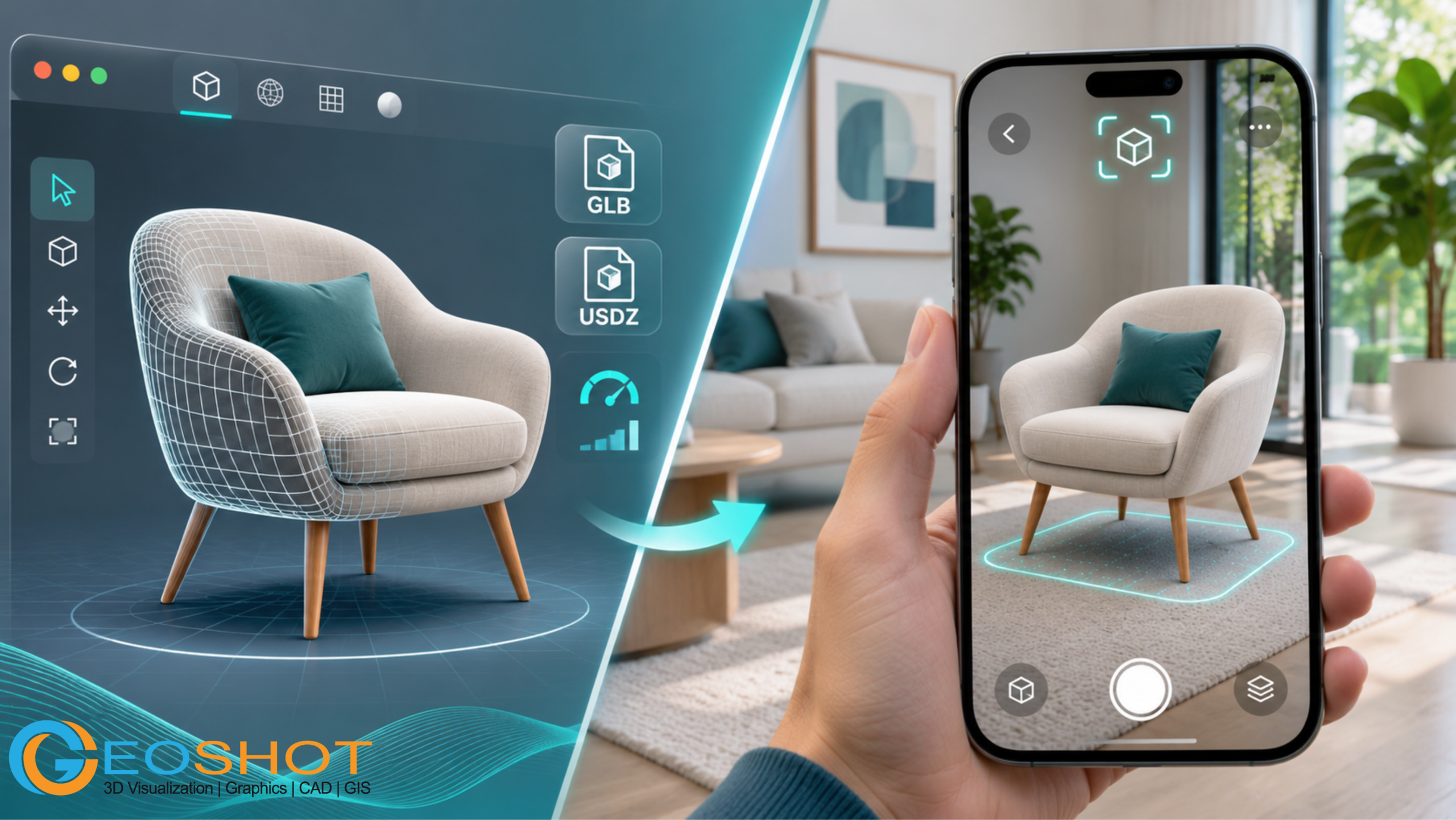
A beautifully rendered 3D model can look impressive on a computer screen and still fail the moment someone tries to view it in augmented reality.
Imagine a furniture brand preparing to launch a new collection. The design team approves a detailed 3D chair with realistic fabric, polished wooden legs, and carefully modeled stitching. Everything looks perfect in the rendering software.
Then the model reaches the website.
It takes too long to load. The fabric looks different on a smartphone. The chair appears larger than an actual chair, and the AR preview refuses to open on some devices.
The problem isn’t necessarily poor 3D modeling. It’s that a visually appealing model and an AR-ready 3D model are not the same thing.
When businesses invest in augmented reality, they need digital assets that look convincing, load efficiently, preserve accurate dimensions, and function reliably on their intended platforms.
This guide explains what makes AR ready 3D models work, how GLB and USDZ formats differ, what businesses should check before accepting an asset, and when professional augmented reality 3D modeling services are worth considering.
What Are AR-Ready 3D Models?
AR-ready 3D models are digital objects prepared to be displayed and, where supported, placed within a real-world environment through an augmented reality experience.
Unlike a conventional 3D rendering, which presents an object from a predetermined camera angle, an AR-ready asset allows people to explore an object from different perspectives.
Depending on the application, users may be able to rotate it, change its position, inspect details, or view the object at its intended real-world size.
For example, someone shopping for a sofa can use an AR experience to assess how the sofa might look in their living room before placing an order.
An architect might demonstrate a building concept on a physical site, while a manufacturer could display an interactive product model during a sales presentation.
However, an important distinction is often overlooked.
Being able to open a 3D file does not automatically mean that it is ready for augmented reality.
The asset also needs appropriate geometry, materials, scale, file formats, and optimization for the target viewing environment.
3D Render vs Interactive 3D Model vs AR Model
| Feature | Static 3D Render | Interactive 3D Model | AR-Ready 3D Model |
|---|---|---|---|
| Visual output | Image or video | Rotatable digital object | Digital object viewed in a real environment |
| User interaction | Limited | Rotate, zoom, inspect | Position, rotate, scale where supported |
| Physical environment | Not required | Not required | Used in supported AR experiences |
| Device requirements | Standard display | Compatible 3D viewer | Compatible AR device and software |
| Common applications | Advertising, presentations | Product pages, configurators | Virtual product placement, visualization, training |
An interactive 3D model can be part of an AR experience, but the website viewer and the AR functionality are separate parts of the implementation.
Understanding that difference helps businesses choose the right production workflow.
Why Do Businesses Need AR-Ready 3D Models?
For many businesses, the biggest challenge isn’t displaying a product online. It’s communicating how that product will look, fit, or function in a customer’s environment.
Traditional product photography is useful, but even multiple photographs cannot always communicate scale, depth, or spatial relationships.
AR provides another way to answer those questions.
1. Helping Customers Understand Product Dimensions
Furniture, appliances, equipment, and home décor products can be difficult to judge from photographs alone.
An accurately scaled AR model helps customers evaluate proportions and potential placement.
It doesn’t replace checking physical measurements, but it can make those measurements easier to understand.
2. Supporting Interactive E-Commerce
An interactive 3D model on a website allows visitors to inspect products beyond a limited collection of images.
Customers can rotate items, examine details, and understand their construction before making a purchasing decision.
Where AR is supported, they can go further and preview objects within their surroundings.
3. Improving Design Communication
Architectural and product design teams often work with clients who don’t regularly interpret technical drawings.
AR visualization can make a proposed object or design easier to discuss by showing its spatial relationship to a real environment.
4. Creating More Useful Product Demonstrations
Manufacturers can use interactive models to explain assemblies, demonstrate product features, or present equipment without transporting full-size samples.
When animations are supported, selected components or mechanisms can also be demonstrated.
The business value comes from helping people understand something they might otherwise struggle to visualize—not simply from adding an AR button to a website.
For a broader look at applications, explore GeoShott’s article on how 3D modeling and augmented reality are transforming industries.
What Makes a AR ready 3D models? The 12-Point Quality Checklist
Before purchasing or approving AR assets, businesses should evaluate more than visual appearance.
The following checklist can help marketing teams, e-commerce managers, product manufacturers, and developers discuss technical requirements with their 3D modeling partners.
1. Define the Target AR Platform Before Modeling
The first question should not be, “How detailed should the model look?”
It should be, “Where will customers use it?”
An asset created for an interactive product page may have different requirements from one built for an Android AR experience, an iPhone preview, or a custom application.
The intended platform affects the file format, supported materials, animation options, performance constraints, and user interactions.
Before production, identify:
- The devices customers are expected to use.
- Whether the experience opens in a browser or a dedicated application.
- Whether the asset must support both Android and iOS.
- Whether users need simple product placement or more advanced interactions.
A well-defined destination prevents expensive adjustments later.
2. Optimize Polygon Count Without Losing Important Details
A highly detailed 3D model can contain hundreds of thousands or millions of polygons.
That level of detail may be appropriate for certain production renders, but real-time mobile viewing demands a balance between visual quality and performance.
Excessive geometry increases processing requirements and can contribute to slower rendering.
The solution is not to remove every small detail. It is to decide which details genuinely affect the customer’s experience.
Consider a lounge chair.
Its silhouette, cushions, armrests, and legs are essential because they define the product’s shape. However, extremely fine stitching may be represented through textures rather than modeled as individual geometric elements.
Google’s Scene Viewer documentation recommends 30,000–50,000 triangles as an ideal range for many supported assets, with 100,000 listed as a recommended upper limit. These are Scene Viewer-specific guidelines, not universal limits for every AR platform.
The correct polygon budget should be based on the target device, viewing distance, materials, and performance tests.
3. Maintain Accurate Real-World Scale
Few errors are more noticeable in AR than incorrect dimensions.
A coffee table that appears three meters wide or a decorative lamp that looks like a miniature toy immediately undermines the experience.
AR models should use consistent measurement units and preserve the proportions of the original product.
For glTF assets, the standard convention is one unit representing one meter.
A modeling team should confirm physical dimensions against the supplied drawings, product specifications, or approved reference measurements.
Practical example: If a table measures 120 cm wide, the delivered AR asset should represent that dimension accurately rather than relying on the customer to adjust its size.
In some viewers, users can resize objects manually. That functionality should not become an excuse for inaccurate source geometry.
4. Set the Correct Orientation, Origin, and Pivot Point
Even a properly scaled model can behave unexpectedly when its origin or orientation is incorrect.
A chair may appear sideways, a product may rotate around an arbitrary point, or an object may seem to float above the detected surface.
Correct axis alignment, pivot placement, and ground positioning help make the model easier to use.
For products intended to rest on a floor, the placement behavior should match the physical object.
For wall-mounted products, the viewing experience may need vertical-surface placement support.
The goal is simple: the digital object should behave in a way that feels consistent with its real-world equivalent.
5. Use Efficient UV Mapping and Textures
A 3D model’s textures communicate much of its visual character.
Wood grain, fabric patterns, surface finishes, printed labels, and decorative details may all depend on texture maps.
Poor UV mapping can cause stretched graphics, visible seams, distorted patterns, or inconsistent details.
Oversized textures, meanwhile, can increase download size and memory usage without providing a noticeable improvement on mobile screens.
A good AR asset uses:
- Clean UV layouts.
- Appropriate texture resolutions.
- Consistent texture density.
- Efficient texture packing where supported.
- Minimal unnecessary image data.
For example, a small metal screw should not consume the same texture resources as a large fabric surface that occupies most of the screen.
Texture decisions should follow the visual importance of each component.
6. Create Physically Based Materials
A model can have excellent geometry and still look unrealistic if its materials are poorly prepared.
Physically Based Rendering, commonly called PBR, uses material properties intended to produce more consistent results under different lighting conditions.
Depending on the supported material workflow, these properties may include base color, metallic response, roughness, normal information, and occlusion.
Consider a product containing glass, brushed metal, plastic, and leather.
Each surface responds differently to light. If every component has an identical shiny finish, the product loses its physical character.
Well-prepared materials improve realism while allowing supported viewers to render surfaces more consistently.
There is still an important limitation: different rendering engines and lighting environments can produce different appearances.
That is why materials should be tested in the actual destination viewer, not judged only inside the modeling software.
7. Export the Correct GLB or USDZ File
File compatibility is one of the most important requirements for AR-ready 3D models.
Two common delivery formats are GLB and USDZ.
GLB vs USDZ: Which Format Is Better for AR?
| Feature | GLB | USDZ |
|---|---|---|
| Format family | Binary glTF | USD-based packaged asset |
| Common use | Web 3D, Android AR, cross-platform workflows | Apple AR Quick Look and USD-based workflows |
| Geometry and materials | Supported | Supported |
| Animation | Supported, subject to viewer capabilities | Supported, subject to viewer capabilities |
| Typical use case | Interactive websites and Android experiences | iPhone and iPad AR previews |
| Main consideration | Viewer and extension compatibility | Apple workflow and conversion compatibility |
For many web-based AR projects, businesses request a GLB for web and Android workflows, together with a USDZ file for Apple Quick Look.
However, this is not a universal requirement.
Some web viewers can generate a USDZ asset from a GLB, while other projects require specifically authored and tested files for each platform.
Google’s Scene Viewer documentation explains supported glTF and GLB workflows. Apple’s AR Quick Look documentation describes supported Apple formats.
The important takeaway: Do not approve a model simply because a vendor has exported both file extensions. Open and test the actual delivered files.
8. Optimize File Size and Loading Performance
Imagine a customer browsing an online furniture store on a mobile connection.
They select “View in AR.”
A loading indicator appears and stays there.
After several seconds, the customer returns to the product listing.
Even an attractive model has limited value if people cannot conveniently access it.
Model optimization may involve reducing unnecessary geometry, compressing textures, removing unused objects, simplifying materials, and applying supported mesh-compression techniques.
The Khronos Group’s asset creation guidelines discuss production methods for creating efficient real-time assets.
For Google Scene Viewer, approximately 10 MB is a recommended model-size target, although actual requirements vary by platform and implementation.
Rather than following one file-size target for every project, establish a performance budget and test the model on representative devices and connections.
9. Check Animation and Moving Components
Not every AR model needs animation.
For a simple decorative vase, accurate materials and scale may be sufficient.
For mechanical equipment, an animated model may provide significantly more useful information.
A manufacturer might want customers to see a door opening, a component rotating, or a product transitioning between configurations.
Animation introduces additional requirements:
- Correct animation hierarchy.
- Appropriate pivot points.
- Compatible keyframes and skeletal data.
- Reliable playback in the target viewer.
- No unexpected movement or visual distortion.
A model that animates inside Blender, Maya, or another creation tool may not behave identically in every AR viewer.
Animation support must be verified as part of delivery.
10. Test Materials, Lighting, and Transparency on Real Devices
A desktop preview is useful for production, but it is not the final test.
AR models should be reviewed on devices representative of the intended audience.
Particular attention should be paid to reflective surfaces, glass, semi-transparent materials, texture quality, color differences, and shadows.
For example, a transparent tabletop may look convincing in one renderer but display unexpected artifacts in another.
Similarly, extremely dark or overexposed materials may hide important product details.
Testing should include multiple lighting conditions where practical.
The acceptance decision should be based on the actual user experience, not only screenshots captured inside a modeling application.
11. Provide a Usable 3D Fallback
Not every visitor will have an AR-compatible device.
Some people will be browsing from laptops. Others may have smartphones that do not support the selected AR functionality.
A good implementation should account for these situations.
Instead of showing an error or a non-functional AR button, a website can provide an interactive 3D model that users rotate and inspect without entering an AR experience.
The website should also offer clear instructions and meaningful alternative product images.
A fallback is not an afterthought. It is part of making the content accessible to a broader audience.
12. Deliver Tested Files and Clear Documentation
A professional modeling project should end with more than a file named final_model_v7.glb.
Businesses should receive the agreed deliverables and understand how those files are intended to be used.
A practical handoff may include:
- Approved GLB and USDZ files, where required.
- Source files, if included in the contract.
- Confirmed product measurements.
- Texture and material information.
- Supported platform details.
- Test results and known limitations.
- Preview images.
- Clear version names and usage rights.
The exact package depends on the project.
Documenting these items reduces confusion when the model is handed from the 3D production team to web developers, marketing teams, or an external agency.
How to Add an Interactive 3D Model to a Website
One of the related searches around AR assets is “interactive 3D model on website.”
It is an important topic because many businesses want their customers to explore products directly on a product page without installing a separate application.
The typical workflow has four stages.
Step 1: Prepare an Optimized 3D Asset
Create the product geometry, textures, and materials according to the requirements of the website viewer.
For web-based applications, an optimized GLB file is commonly used.
Step 2: Choose a Compatible 3D Viewer
The website needs a viewer capable of loading and displaying the model.
Depending on project requirements, businesses might use a platform-based viewer, a custom 3D implementation, or a web component such as Google’s model-viewer.
A 3D model viewer typically enables visitors to rotate and zoom around the object.
Step 3: Enable AR Where Supported
A compatible implementation can connect the webpage to an AR viewing system.
For example, some Android devices can launch Google’s Scene Viewer, while supported Apple devices can open AR Quick Look.
These experiences depend on device capabilities, browser behavior, supported file formats, and implementation details.
Step 4: Test the Complete Customer Journey
The final test should begin on the live or staging product page.
Can the visitor find the 3D model? Does the preview load? Is the AR button visible on supported devices? Does the model appear at the correct scale?
Most importantly, does the interaction help customers understand the product?
An technically functional model is only part of the solution. The entire viewing experience needs to make sense.
AR-Ready 3D Models: Marketplace Assets vs Custom Modeling Services
Businesses exploring AR production often encounter 3D model marketplaces, freelance platforms, subscription libraries, and professional modeling studios.
Each option serves a different purpose.
A ready-made marketplace asset may work well for a generic object, early prototype, or internal demonstration.
However, it may not accurately represent a specific commercial product.
For example, a furniture company cannot assume that a marketplace chair matches the proportions, finishes, upholstery, and construction of the chair it actually sells.
Comparing Your Options
| Requirement | Marketplace or Free Model | Custom AR 3D Modeling |
|---|---|---|
| Specific product dimensions | May require adjustment | Can be modeled to supplied specifications |
| Exact product materials | May not match | Can be developed from approved references |
| Brand-specific details | Often unavailable | Can be included |
| AR optimization | Varies by asset | Can be scoped for the intended platform |
| Commercial usage rights | Depend on license | Defined in the service agreement |
| Cost structure | Purchase, license, or subscription | Based on project scope |
| Production suitability | Requires individual review | Can be defined through acceptance criteria |
Platforms such as <a href=”https://www.fab.com/“>Fab</a> and <a href=”https://sketchfab.com/“>Sketchfab</a> can be useful when exploring available 3D assets.
However, the availability of a model in a marketplace does not prove that it has been prepared or licensed for your particular AR project.
For branded e-commerce products, custom modeling is often the more appropriate approach when visual accuracy and product-specific details matter.
Are Free AR ready 3D models Suitable for Business Use?
Free models can be useful for experimentation.
A developer testing a new 3D viewer might use a sample model to confirm that the integration works.
A student might use freely available assets to learn how GLB files, textures, and animations behave.
But using free models in a commercial environment requires additional checks.
First, confirm the licensing terms.
A downloadable model is not automatically licensed for unrestricted commercial use.
Second, verify its technical quality.
A free model may contain excessive geometry, broken texture references, inconsistent dimensions, or materials that do not render correctly.
Third, determine whether the asset accurately represents the intended product.
Free models are useful for testing a workflow. They are not automatically suitable as final representations of products being sold.
The same principle applies to subscription-based 3D asset libraries. Access to a model collection does not eliminate the need for file validation, optimization, and commercial-use checks.
How Much Do Professional AR ready 3D models Services Cost?
There is no single price that accurately describes every AR 3D modeling project.
A simple decorative product and a complex mechanical assembly require different amounts of production work.
Pricing typically depends on several factors.
Product complexity: A simple geometric object may require less modeling effort than detailed equipment with numerous components.
Available reference materials: Accurate CAD files, technical drawings, product photographs, and approved dimensions can reduce uncertainty during production.
Materials and textures: Products requiring precise surface finishes, fabric details, metallic responses, or transparent components may need additional material development.
File formats: Preparing and validating multiple destination formats introduces additional work.
Optimization requirements: Mobile performance targets, texture limitations, and platform-specific restrictions affect the production process.
Animation and interaction: A static product model generally has a different scope from an animated assembly or interactive configurator.
Quantity and variation: A collection containing many products, colors, sizes, or configurations may benefit from a structured production workflow.
When requesting a quotation, provide an accurate brief instead of asking for a generic price per 3D model.
This helps the supplier evaluate the actual requirements and reduces the risk of unexpected revisions.
What Should You Send to an AR 3D Modeling Company?
A good project brief can save significant time.
If you plan to outsource AR-ready 3D models, prepare the following information:
- Product information: Name, category, intended use, and required variations.
- Visual references: Clear photographs from several angles, especially for areas with important details.
- Dimensions: Verified physical measurements or technical drawings.
- Material details: Surface finishes, colors, textures, and branding elements.
- Target platforms: Website, Android, iOS, custom application, or another specified environment.
- Deliverable formats: GLB, USDZ, source files, or other agreed outputs.
- Performance requirements: File-size budget, mobile-device expectations, and viewer constraints.
- Interaction requirements: Rotation, placement, scaling, animation, or configuration changes.
- Approval process: Review stages, feedback responsibilities, and acceptance criteria.
Consider this example:
A lighting manufacturer wants an AR model of a pendant lamp for its product website.
The brief should explain more than the lamp’s appearance.
It should specify the actual dimensions, intended ceiling placement, cable length, material finishes, product variants, supported devices, and whether users need to see it in a room or simply rotate it in a 3D viewer.
Those details influence how the model is built, tested, and delivered.
Common Problems That Make AR Models Fail
Even experienced production teams encounter issues when moving assets between modeling software, viewers, and devices.
Some problems are particularly common.
The Model Looks Different on a Smartphone
Possible causes include unsupported material features, texture issues, lighting differences, or format-conversion problems.
The solution is to compare the exported asset in the final viewer and adjust the relevant materials.
The Model Appears Too Large or Too Small
Incorrect unit conversion or dimensions may be responsible.
Check the source measurements, export settings, and target viewer’s scaling behavior.
The Model Takes Too Long to Load
Large textures, unnecessary geometry, multiple materials, and inefficient file structures can affect loading performance.
Profile the actual asset and optimize the components contributing most to download size or rendering cost.
The Model Opens on Android but Not on iPhone
This may be a file-format, integration, or device-support issue.
Confirm the required Apple delivery workflow and validate the relevant USDZ or supported conversion path.
The Model Appears but Cannot Be Placed in AR
A working 3D preview does not establish that the device supports the selected AR mode.
Review device compatibility, application behavior, permissions, and fallback configuration.
These issues highlight why quality assurance should be an explicit part of any professional AR modeling contract.
Choosing the Right AR 3D Modeling Partner
The right production partner is not necessarily the company displaying the most impressive static renderings.
A business commissioning AR assets should look for a team that understands the difference between presentation-quality modeling and real-time production requirements.
Ask prospective providers how they handle:
- Geometry and texture optimization.
- Accurate scale and product specifications.
- GLB and USDZ preparation.
- Device and viewer testing.
- Revision management.
- Delivery documentation and source-file agreements.
It is also worth asking for a demonstration using the same viewing environment planned for your project.
A model that looks convincing in a video is not the same as a model successfully running on a customer’s smartphone.
A practical test can reveal more about production quality than a collection of polished screenshots.
How GeoShott Supports Augmented Reality 3D Modeling
At GeoShott Technologies, augmented reality 3D modeling is part of our broader digital visualization services.
We work with businesses seeking 3D assets for applications such as product visualization, e-commerce, marketing, and interactive experiences.
Our AR 3D modeling services focus on translating product concepts and references into detailed digital models suited to the requirements of the project.
For businesses commissioning an AR asset, the starting point is understanding what the model needs to accomplish.
A product intended for an online showroom may require a different modeling and optimization approach from an asset developed for a technical demonstration.
By identifying intended use, visual requirements, platform compatibility, and expected deliverables early in the project, businesses can make better decisions throughout production.
You can also explore our article on AR models in architectural visualization to understand how augmented reality relates to design presentation.
Planning an AR 3D Modeling Project?
Whether you need a model for an online product experience, a marketing demonstration, or another interactive application, a clear technical brief is the best place to begin.
Explore GeoShott’s Augmented Reality 3D Modeling Services
You can contact GeoShott at email.geoshott@gmail.com to discuss your product references, intended platforms, and modeling requirements.
Frequently Asked Questions About AR-Ready 3D Models
1. What is an AR-ready 3D model?
An AR-ready 3D model is a digital asset prepared for an augmented reality experience. It generally requires appropriate geometry, accurate scale, suitable materials, compatible file formats, and optimization for the intended viewer or device.
2. Which file format is best for AR-ready 3D models?
GLB is widely used for web-based 3D experiences and Android AR workflows, while USDZ is commonly used for Apple’s AR Quick Look. The best format depends on the platform, viewer, and technical requirements of the project.
3. Can I display an interactive 3D model on my website?
Yes. Compatible web viewers allow visitors to rotate, zoom, and inspect 3D models directly within webpages. Some implementations can also provide an AR launch option on supported mobile devices.
4. Where can I find free AR-ready 3D models online?
Sample assets, open collections, and 3D marketplaces may offer free downloadable models. Before using one commercially, confirm the license, file compatibility, dimensions, materials, and optimization quality.
5. What is the difference between a 3D model viewer and augmented reality?
A 3D model viewer displays a digital object within a website or application. Augmented reality goes further by presenting the digital object in relation to a real-world environment, where supported by the device and software.
6. Are 3D models from Fab or other marketplaces automatically AR-ready?
No. Marketplace availability does not guarantee AR compatibility. Models may require changes to their geometry, textures, dimensions, materials, or export formats before they can be used successfully in an AR experience.
7. Can AR-ready 3D models move or animate?
Yes, compatible AR systems can display animated 3D objects. Supported animation types and interaction features depend on the viewer and platform. Animation should always be tested after export.
8. How can I make a 3D model load faster in AR?
Common approaches include simplifying unnecessary geometry, optimizing textures, reducing material complexity, using supported compression methods, and removing unused data. Actual performance should be measured on target devices.
9. Do I need separate 3D models for Android and iPhone?
Not necessarily separate modeling projects, but you may need different exported assets or delivery formats. A shared source model can often be used to produce GLB and USDZ outputs, with platform-specific adjustments and testing.
10. When should a business hire an AR 3D modeling service?
Professional modeling is worth considering when the asset must accurately represent a real product, meet specific technical requirements, support commercial use, or be delivered as part of a larger product visualization workflow.
Final Thoughts: AR-Ready Means Ready for Real Use
The most important test of an AR 3D model is not how impressive it looks in the software used to create it.
It is whether the intended audience can open, understand, and interact with it successfully.
Accurate scale, efficient geometry, realistic materials, compatible formats, and real-device testing all contribute to that experience.
For businesses, the objective should be to commission a complete, validated digital asset rather than simply receiving a visually appealing 3D file.
Before approving your next project, use the 12-point checklist in this guide to define the requirements that matter most.
A little more clarity at the beginning of production can prevent considerable frustration when the model finally reaches your website or application.

Founder & CEO
Bigyan Kar is the driving force behind Geoshot Technologies and has been since its founding, leading the company’s vision in delivering advanced CAD, GIS, graphics, map illustrations, and 3D solutions across multiple industries. While Geoshot serves a wide range of sectors, Bigyan has maintained a strong specialization in golf course graphics, CAD drafting, and mapping—ensuring highly accurate and visually compelling representations for golf architects and planners. His commitment to precision, visual clarity, and innovation has enabled Geoshot to produce high-quality 3D models, detailed maps, and comprehensive design visualizations for clients worldwide. Under his leadership, Geoshot Technologies has grown into a trusted partner for architects, planners, designers, and engineering teams by continuously investing in technology, talent, and workflow excellence. His ability to blend technical expertise with creative insight has established Geoshot as a leader in premium 3D visualization, CAD drafting, and mapping solutions across diverse sectors, with a distinguished reputation in the golf design industry.